Sunday, December 12, 2010

Compile PHP script into bytecodes with bcompiler

PHP is the most popular scripting language for the web that is running on the server side. It borrows syntax and style from C but is simplified to work like Javascript.

The nature of scripting language is to expose the source code that make it easy to run cross platform. However, in commercial project, you may want to protect your precious software libraries or the whole project from exposing the source code. You can do it with "bcompiler", a PECL module, that will compile PHP source code into binary bytecodes.

It is easy to install using PECL package management software as follows.

pecl install bcompiler-0.9.3

After installation, it is necessary to add a line into php.ini to make it dynamically load bcompiler module on demand.

extension=bcompiler.so

Let us start with a simple program written to run as a standalone program.

File: lib.inc -- define constants named VERSION and NEWLINE
<? // lib.inc
define("VERSION", "0.1");
define("NEWLINE", "\n");
?>

File: test.php -- display with constants defined in lib.inc  
<? // test.php
require("lib.inc");
echo "Version: ".VERSION.NEWLINE;
echo "Hello World !".NEWLINE;
?>

With "php test.php" command, you should see these on screen.
Version: 0.1
Hello World !

That mean our script is working properly.

To compile the source code, we need to write another script that read a source file and write out a binary bytecodes file.

File: compile.php -- compile the code, write out binary bytecode
<? // compile.php
$f = fopen('test-o.php', 'w');
bcompiler_write_header($f);
bcompiler_write_file($f, 'test.php');
bcompiler_write_footer($f);
fclose($f);
?>

Running "php compile.php" will generate "test-o.php" file as a result. This "test-o.php" will work like original "test.php". However file size of the bytecodes seem to be much bigger than the original source code but it can improve performance by about 30% (as stated in the manual).

Not only the main ".php" code can be compiled but also the "lib.inc" library code.

Thursday, December 9, 2010

Make dynamic html elements live in jQuery!

With jQuery, you can easily add dynamic html elements anywhere you want on the page. The problem is that the newly added elements will not binded to pre-defined events.


This problem can be fixed by using "live". It allows you to define an event handler that will work with all matched elements either now or future.


Let us start with an example. I will create a div as a container and begin with a button that will let us create a dynamic "button" element inside the container. The newly created button will also binded to the same event that create more button inside the container when clicked.


Here is the code:
--
<html>
<head>
<script type='text/javascript' src='js/jquery.min.js'></script>
<script>
$(function(){
   $('input:button').live('click', function(){
      $('<input type="button" value="also add a button">').appendTo($('#container'));
   });
});
</script>
</head>
<body>
<div id='container' style='border:solid black 2px; padding: 5px'>
</div>
<input type='button' value='add a button'>
</body>
</html>
--

If necessary, there is "die" that let you unbind the "live" events.


See jQuery API: live and jQuery API: die for more information.

Wednesday, December 8, 2010

Google map integration website

For a business website, map is surely necessary. With Google Map, you can easily integrate a map to your website.

Today, I am going to show you how do it with jQuery and Google Map API. See PantipShop's contact page  for an example.


First, you need to know latitude and longitude of your location by using a GPS locator. You can also get the values from Google Map by right-clicking at the location you want to get the values and choose "What's here".

Then let us start with html code.

1) In the <head> section, load Google Map API in the language you preferred (en = English, th = Thai, etc. )

<script type='text/javascript' src='http://maps.google.com/maps/api/js?sensor=false&language=en'></script>

2) follow by a jQuery script that will setup/ initialize the map


<script type='text/javascript'>
$(function() {
   // define latitude and longitude
   var myLatlng = new google.maps.LatLng(13.732251,100.522158);


   // define zoom value and type of map
   var myOptions = {
      zoom: 16,
      mapTypeId: google.maps.MapTypeId.HYBRID
   }


   // make a new map in an element with "map_canvas" id
   var map = new google.maps.Map(document.getElementById('map_canvas'), myOptions);


   // mark my location
   var marker = new google.maps.Marker({
      position: myLatlng,
      map: map,
      title: 'My company'
   });


   // click at the marker will pan the map the that location

   google.maps.event.addListener(marker, 'click', function() {
      map.panTo(marker.getPosition());
   });


   // double click at the marker will adjust the zoom value, also pan to that location
   google.maps.event.addListener(marker, 'dblclick', function() {
      map.setZoom(18);
      map.panTo(marker.getPosition());
   })

});
</script>


3) in <body> section, where you want to show a map, put an empty <div> with id "map_canvas" as initialized in the script above.

<div id='map_canvas'></div>

4) That is it !

For advance usages, see Google Map API.

Tuesday, December 7, 2010

Easy table beautifier by jQuery UI CSS framework

jQuery is simple and powerful. When combine with jQuery UI and its CSS framework and ready made theme, we can get good looking UIs without any experiences in graphic design.


Today, I am going to show the easy way to make your plain and boring table look great just like one of jQuery UI widget.
Before

Sample code: test.html
--
<html>
<head>
<script type='text/javascript' src='js/jquery.min.js'></script>
<script type='text/javascript' src='js/jquery-ui.min.js'></script>
<link href='css/ui/redmond/jquery-ui.css' type='text/css' rel='stylesheet' />
<script>
$(function(){
$('table').addClass('ui-widget-content').find('td').css({padding: '2px'});
$('tr:has(td):odd').addClass('ui-state-default');
$('tr:has(td):even').addClass('ui-state-focus');
$('tr:has(th)').addClass('ui-widget-header');
});
</script>
</head>
<body>
<table>
<tr><th>#</th><th>Name</th><th>Age</th></tr>
<tr><td>1</td><td>Mr. AAAAAA</td><td>25</td></tr>
<tr><td>2</td><td>Mr. BBBBBB</td><td>18</td></tr>
<tr><td>3</td><td>Mr. CCCCCC</td><td>27</td></tr>
<tr><td>4</td><td>Mr. DDDDDD</td><td>24</td></tr>
<tr><td>5</td><td>Mr. EEEEEE</td><td>35</td></tr>
<tr><td>6</td><td>Mr. FFFFFF</td><td>32</td></tr>
</table>
</body>
</html>

--
After

First we add class 'ui-widget-content' to a <table>. Alternatively, we add padding:2px to all <td> too. We separated table row into 2 kinds. First is a header row, rows with <th> inside and content row, rows with <td> inside.


For header rows with <th> inside, as jQuery selector "tr:has(th)", we apply "ui-widget-header" class to them. For content rows, to make odd and event rows look different, we apply different class to them identified by jQuery selector ":odd or :even".


That is it ! It is easy right ? I can surely make it look a bit better, with round corners and so on but this is enough to give you a picture of what you can do with jQuery CSS framework.

Monday, December 6, 2010

Unique website with favicon

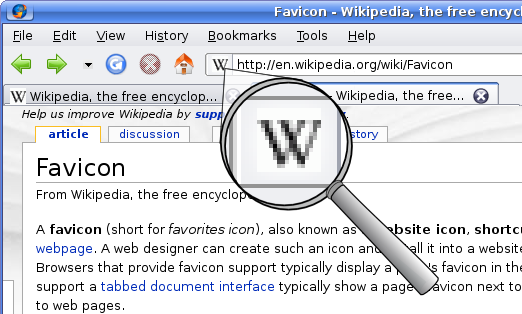
Modern web designer surely need to add a lot of multimedia to the website to make it eye catching. Favicon is a little piece of graphic, that make your site unique, in the title of the browser, bookmarks or as a short-cut icon to your website creating by Google chrome.


It is 16x16 or 32x32 pixel square icon first introduced in IE4. However, IE only support favicon in ico (microsoft icon) format unlike other browsers that support favicon in png, gif and jpeg formats as well. For more specification and info, see wikipedia.

If you doesn't have tool to make your favicon in ico format, you can try favicon.cc. A website that let you draw your favicon.


It allows you to import your design from gif,png,.. and make ico file for the best browser compatibility. It also supports animated favicon that may not work in all browsers. Try it ! It is free and fun.

Sunday, December 5, 2010

Debug web app with google chrome

With the arrival of Google Chrome, web browsing becomes faster, web application gets accelerated with its fast javascript engine.


Not only the speed, Google Chrome also comes with the Developer Tools. It's a tools that web developer should not miss.


It allows you to inspect the elements (as html/ css/ properties and so on) displaying on the screen in real time. You can also track used resources, scripts, loading time, cookies and much more.


Thank you to Google Chrome's Developer Tools, web optimization is much easier. Web development is much more comfortable.

Saturday, December 4, 2010

About jQuery UI Widgets

I have been working with a project based on jQuery and jQuery UI for a while. The new widgets, recently added to jQuery UI are autocomplete and buttons (also buttonsets), proved to be very useful and fill the gap.

autocomplete
button and buttonset
However, they are not features rich like other widgets in jQuery UI. I sometime need to hack things around to make it do a bit complicated tasks but in general, they are working good and look pretty with support for jQuery CSS Framework.

I would be happy to see Menu and Layout widgets add to jQuery UI soon. For the menu, I have tried the candidated Menu widget. Although it's still in the lab, not ready for production but it works and look very pretty.

Fg.Menu - the candidated Menu Widget for jQuery UI
However, it doesn't support standalone vertical menu yet so I modified Superfish to make its looks and feel like one of jQuery UI widget. You can see my on-going online shopping project for an idea (PantipShopGedthawha and CShopOnline)

I am also using jQuery.UI.Layout in one of my web app project. I don't think it is an official Layout widget for jQuery UI but it works just fine. If you need to make a web app that look a bit like native application, it's worth to try.

Friday, December 3, 2010

Make a web spider

One of my project is making a web search engine only for Thai contents/ localization. Well, I surely don't want to compete with Google in worldwide market and I do have a cool domain name for Thai search engine. Although I am not sure about profitable, it surely fun and challenging.


My web spider is based on PHP with Curl lib. With Curl, it is easy to make HTTP request with many configurable options just like using a simple web browser or much more flexible.
At first, there'r 2 areas that I need to implement.
1. HTML to text content extraction
2. Thai contents/ localization detection

With GeoIP, I can simply determine the physical location of an IP address but it is much more complicated to detect Thai contents.

In case of UTF-8, I can easily look up for characters in Thai Block (U+0E00 - U+0E7F).

See UTF-8 Thai block: http://www.utf8-chartable.de/unicode-utf8-table.pl?start=3584&number=128&utf8=0x


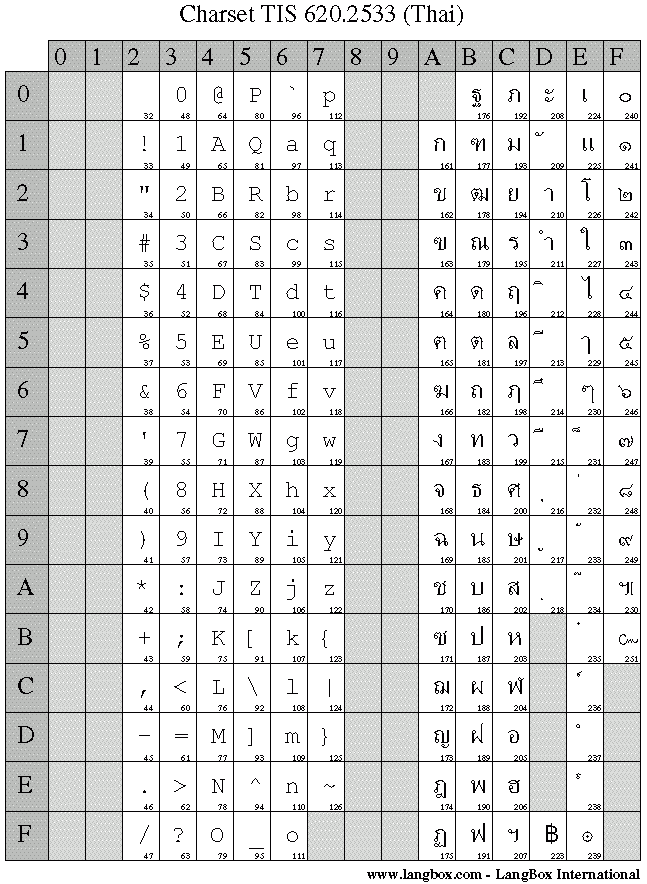
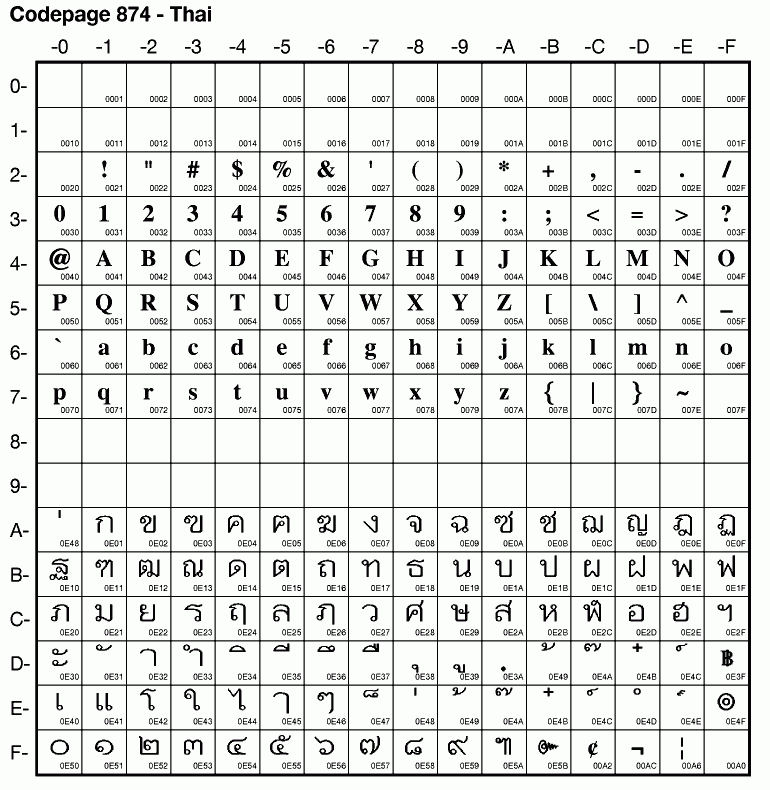
However, there are possibilities that the content was encoded in CP-874 (Windows), TIS-620 (Modern) or ISO-8859-1/ISO-8859-11 (Old age, since the beginning of the web). It is much more complicated to detect all these encodings at once.

TIS-620

ISO-8859-11
CP-874

I do notice some hole (unused characters) in these blocks. Perhaps, it could be used to identify the block.

Another challenging topic is the database design. It'll take a while since database design will reflect the features and functionalities.

Thursday, December 2, 2010

Best freeware for a new Windows box

I have installed so many Windows boxes for myself, my friends, business, family and customer. Here are freewares I usually install on the box. I believe they are the best freeware at their tasks.


Unlocker is necessary for Windows box. It let you unlock the resource just like a magic wand as shown in the icon.


Teracopy will improve your file-copy/ move speed. It is free for home users.

3. 7zip

7zip is a free archiver that support many archive formats.


Daemon-Tools is a CD/DVD emulator software. It mount many CD/DVD ripped format like ISO, CUE/BIN, Nero's NRG and so on.


I couldn't live with just IE6-8 in a box. IE are way too slow and bad at modern HTML/ CSS standard.
Foobar 2000 is a new & high quality mp3 player.


K-Lite Codecs is a pack of codecs for multimedia to support as much as possible playback compatibility. It comes with a media player freeware, Media Player Classic (MPC).

8. FastStone Image viewer

Free and fast image viewer similar to the popular ACDSee.

9. Adobe PDF Reader

Free and original PDF reader from Adobe.

10. LibreOffice (originate from OpenOffice that was dominated by Sun Microsystem)

This is the best alternative to Microsoft Office office suite.

If you have your favorite freeware you usually installed, please share.

Wednesday, December 1, 2010

Xming - Remote X-Window server on your windows box

As a Linux specialist, I ran Linux servers everywhere. I have run it in a router for bit-torrent downloading, in the data center for web and database server, in the office for files & printers sharing.

Sometime, I need to run some X Window application. Usually, I run TightVNC server and access to it by TightVNC client but it surely need dedicated server resources.

However, If you occasional run X Window application remotely, you can do it without a dedicated VNC server, Xming is a good solution.


It is easy to use and works just like any other Unix X server. In multiple windows mode, you can start X application by issuing a command to an ssh session on your server.

Not only it works, it does make X application look native to Windows when you run in multiple windows mode.

Anyway, I found it utilizes high network resources so if your server is not within your local network, I would recommend TightVNC that comes with fancy network resources optimization settings instead.

Sunday, November 28, 2010

WAMP server ?? An alternative to LAMP server

If you are Linuxian, you know what is LAMP. It's "Linux server + Apache web server + MySQL database server + PHP scripting language". They are commonly used together to form a modern dedicated web server.


However, in some project, we need to run our code in Windows box. It is not a problem since Apache web server, MySQL database server and PHP are all available and ported to work in Windows (win32) quite well.

It is not fun and time consume to install and configure them individually so WAMP package is here to serve you.

WAMP is basically just like LAMP but replace "L"inux with "W"indows. You can easily find WAMP as a single software suite with easy installation process and pre-configured files.

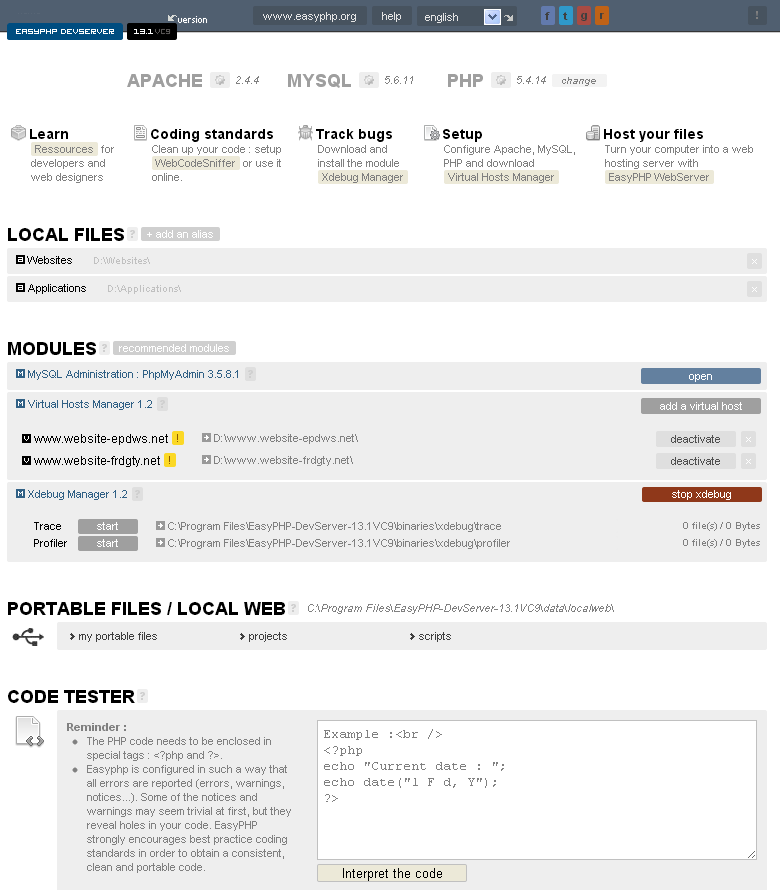
You can get a WAMP software package at WampServer or more advance WAMP at easyphp.org.


With a WAMP software package, it does save a lot of time and let us concentrate on web development part. If I could choose a server environment, I would choose Linux anyway since I am not a fan of Blue screen box.

Friday, November 26, 2010

Cool JQuery / JQuery UI plug-ins

As promised, I would like to introduce you, web developer, to some of cool jQuery / jQuery UI plug-ins I personally used in my projects. They can absolutely save your time (and money). They also do support the old and outdated web browser like IE6.

1. Superfish - for multi-level horizontal / vertical menu
See example: http://users.tpg.com.au/j_birch/plugins/superfish/#examples

2. CrossSlide - lightweight, cool features, fast and easy slide show
See example: visit the site to see how cool it is


3. Galleryview - for more advance slide show


4. File-uploader - multiple files uploading support with status, cancellable, drag-and-drop, with no Adobe Flash needed
See demo: http://valums.com/files/2010/file-uploader/demo.htm

5. Uploadify - prettier file uploader, features rich, need Adobe Flash to do the functions
See demo: http://www.uploadify.com/demos/


6. jQuery lightBox - pretty picture album viewer
See example: http://leandrovieira.com/projects/jquery/lightbox/


7. Jeditable - make your normal text editable like a textbox, great for minimal text/ db updates

8. jsTree - make a tree of categorized data
See demo: http://www.jstree.com/demo


9. DataTables - display paginate/ sortable multiple data in a table, highly configurable
See example: http://www.datatables.net/examples/


There are much more. If you have cool/ favorite plug-ins, please share.

Thursday, November 25, 2010

Web development is much easier with JQuery and JQuery UI

Long time ago, I had horrible experiences with Javascript for web development so I tried to avoid it by making a flat page with minimal script as possible. Not only the script but the browser compatibility was also a big problem.

Serveral years later, the game has changed since the arrival of jQuery. It makes our life better. It's easy and fun to write an interactive web as its motto is "write less, do more". It does also handle browser compatibilities for us and come with fancy features like ajax, css manipulation, effects.


If your need UI, you should try jQuery UI. It surely works great with jQuery. You can easily integrate pretty UIs to your web with several themes to choose.


If you don't want to write your own script from scratch, there are many add-ons/ plug-ins available for jQuery / jQuery UI from its user base e.g. an image viewer, slide show, menu, toolbar, layout, data tables.


I'll write about those cool add-ons later.

My recent project is "PantipShop.com", an online computer & accessories superstore that based on jQuery and jQuery UI with selectable themes (and language). I hope to make it an online service available for public later. If you are interesting in Thai traditional products, visit "Gedthawha.com".

Wednesday, November 24, 2010

Virtual desktop for Windows

Unlike X Window, MS Windows does not come with built-in virtual desktop. For an experienced user, one desktop may not be enough to handle all applications.

I would like to recommend a full features and lightweight virtual desktop application for MS Windows named 'Dexpot'.


It's easy to use with highly configurable options. If you need more eyes candy, it also comes with extra plug-ins to make your desktop changing more fun, e.g. 3D cube.

  
Dexpot is a freeware for personal uses. If you are using a Netbook, UMPC or other small screen devices, it will surely let you do more in less space.