
Sunday, November 28, 2010

WAMP server ?? An alternative to LAMP server

If you are Linuxian, you know what is LAMP. It's "Linux server + Apache web server + MySQL database server + PHP scripting language". They are commonly used together to form a modern dedicated web server.


However, in some project, we need to run our code in Windows box. It is not a problem since Apache web server, MySQL database server and PHP are all available and ported to work in Windows (win32) quite well.

It is not fun and time consume to install and configure them individually so WAMP package is here to serve you.

WAMP is basically just like LAMP but replace "L"inux with "W"indows. You can easily find WAMP as a single software suite with easy installation process and pre-configured files.

You can get a WAMP software package at WampServer or more advance WAMP at easyphp.org.
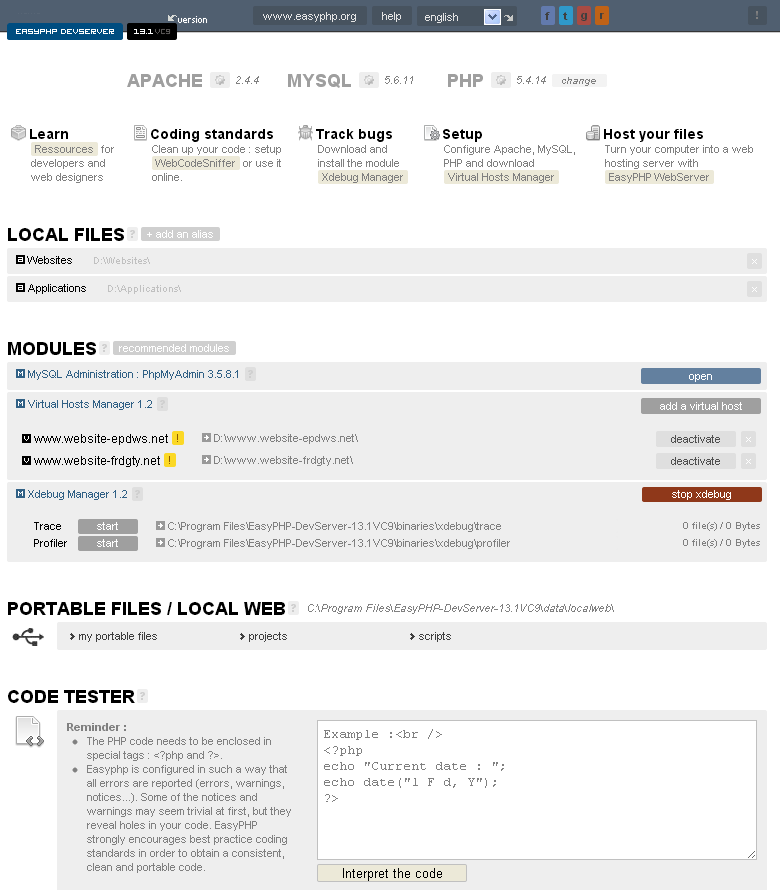


With a WAMP software package, it does save a lot of time and let us concentrate on web development part. If I could choose a server environment, I would choose Linux anyway since I am not a fan of Blue screen box.

Friday, November 26, 2010

Cool JQuery / JQuery UI plug-ins

As promised, I would like to introduce you, web developer, to some of cool jQuery / jQuery UI plug-ins I personally used in my projects. They can absolutely save your time (and money). They also do support the old and outdated web browser like IE6.

1. Superfish - for multi-level horizontal / vertical menu
See example: http://users.tpg.com.au/j_birch/plugins/superfish/#examples

2. CrossSlide - lightweight, cool features, fast and easy slide show
See example: visit the site to see how cool it is


3. Galleryview - for more advance slide show


4. File-uploader - multiple files uploading support with status, cancellable, drag-and-drop, with no Adobe Flash needed
See demo: http://valums.com/files/2010/file-uploader/demo.htm

5. Uploadify - prettier file uploader, features rich, need Adobe Flash to do the functions
See demo: http://www.uploadify.com/demos/


6. jQuery lightBox - pretty picture album viewer
See example: http://leandrovieira.com/projects/jquery/lightbox/


7. Jeditable - make your normal text editable like a textbox, great for minimal text/ db updates

8. jsTree - make a tree of categorized data
See demo: http://www.jstree.com/demo


9. DataTables - display paginate/ sortable multiple data in a table, highly configurable
See example: http://www.datatables.net/examples/


There are much more. If you have cool/ favorite plug-ins, please share.

Thursday, November 25, 2010

Web development is much easier with JQuery and JQuery UI

Long time ago, I had horrible experiences with Javascript for web development so I tried to avoid it by making a flat page with minimal script as possible. Not only the script but the browser compatibility was also a big problem.

Serveral years later, the game has changed since the arrival of jQuery. It makes our life better. It's easy and fun to write an interactive web as its motto is "write less, do more". It does also handle browser compatibilities for us and come with fancy features like ajax, css manipulation, effects.


If your need UI, you should try jQuery UI. It surely works great with jQuery. You can easily integrate pretty UIs to your web with several themes to choose.


If you don't want to write your own script from scratch, there are many add-ons/ plug-ins available for jQuery / jQuery UI from its user base e.g. an image viewer, slide show, menu, toolbar, layout, data tables.


I'll write about those cool add-ons later.

My recent project is "PantipShop.com", an online computer & accessories superstore that based on jQuery and jQuery UI with selectable themes (and language). I hope to make it an online service available for public later. If you are interesting in Thai traditional products, visit "Gedthawha.com".

Wednesday, November 24, 2010

Virtual desktop for Windows

Unlike X Window, MS Windows does not come with built-in virtual desktop. For an experienced user, one desktop may not be enough to handle all applications.

I would like to recommend a full features and lightweight virtual desktop application for MS Windows named 'Dexpot'.


It's easy to use with highly configurable options. If you need more eyes candy, it also comes with extra plug-ins to make your desktop changing more fun, e.g. 3D cube.

  
Dexpot is a freeware for personal uses. If you are using a Netbook, UMPC or other small screen devices, it will surely let you do more in less space.